
Sometimes error messages just don’t make sense in the context they’re given. Take 80090034, for example.
After rebuilding a computer (remotely, the joy of work from home), the computer was joined to the domain over a VPN, and the I logged in the first time over the VPN to get a profile created. The computer rebooted a few times while applications were installed, including Office 365. When I opened Outlook the first time, it automatically filled out my profile information but when I got to finish, it gave a very odd error that said, “Your computer’s Trusted Platform Module has malfunctioned.”
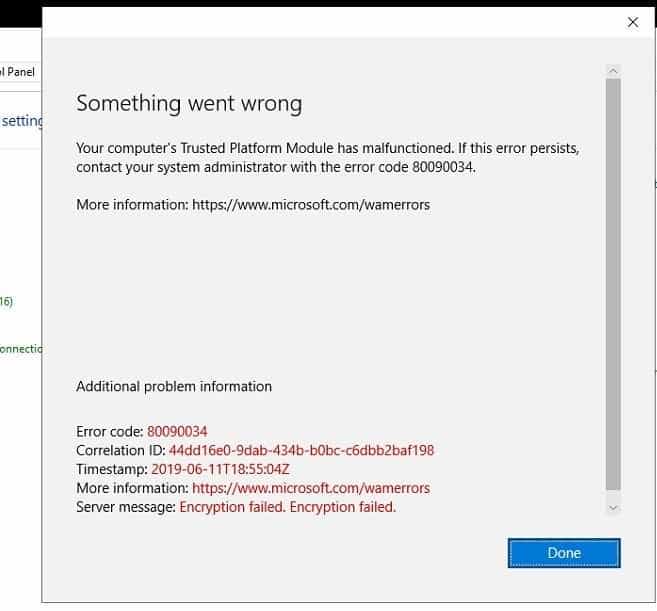 Odd. Why does Office need to talk to the TPM? Oh well, let’s assume it’s some new security thing and troubleshoot the TPM. I immediately addressed the usual suspects:
- Double check that the TPM is enabled in BIOS?
- Clear the TPM keys in BIOS.
- Validated the firmware and drivers were up to date for the TPM (they were).
- Validated the TPM WAS working by enabling Bitlocker (usually the last thing I do).
Everything came up exactly as it should, and Bitlocker worked fine with the TPM.
On page 4 or 5 of Google, however (and various fixes tried), one other person was claiming a similar issue, in a similar situation with an odd fix: “reconnect the VPN.”
That seemed like an unlikely fix, as my mailbox is in 365, and in my daily life I almost never connect the VPN without any issues, but at this point — two hours into the issue — it seemed easy enough to try.
Sure enough, as soon I reconnected the VPN, the Outlook profile creation finished with no errors and email started flowing in.
I’m not sure what the ACTUAL problem was. Clearly it wasn’t TPM related, so I think I hit a generic error message with a bad description.
The person suggesting reconnecting the VPN did offer this theory: “This Microsoft article titled “DPAPI MasterKey backup failures when RWDC isn’t available’ indicates that when a domain user logs in for the first time, and can’t contact a read/write domain controller, then DPAPI keys can’t be backed up. I’m guessing Office 365 uses DPAPI to store your credentials.”
This doesn’t really make complete sense, because the first time I logged in, the VPN was connected. But either way, just reconnecting the VPN worked and Office completed setup without issues.